
 By admin
In today’s fast-paced business world, organizations face mounting pressure to work smarter, faster, and more efficiently. Manual processes, disconnected apps, and outdated systems continue to frustrate employees and delay growth. To overcome these challenges, businesses are turning to Power Automate, a core part of the Microsoft Power Platform.
This tool helps companies achieve workflow automation by eliminating repetitive tasks and enabling seamless integration across platforms like Power Apps, Power BI, and Dynamics 365. With Microsoft Power Automate, organizations can reduce costs, improve productivity, and embrace Digital Transformation in a way that truly makes work easier.
Time-Consuming Manual Processes
One of the most common problems faced by businesses is the sheer amount of time wasted on repetitive work. Whether it’s data entry, sending reminders, or filing documents, these tasks drain energy and leave employees with little room for strategic work.
By implementing automated workflows, companies can eliminate the need for manual repetition. For example, HR teams can simplify employee onboarding by automating contracts, ID creation, and training schedules. Finance departments can automate invoice matching and inventory management processes, reducing hours of manual verification.
Through intelligent automation and Robotic Process Automation, repetitive tasks are standardized, mistakes are minimized, and employees can shift focus to meaningful activities. This directly improves overall business productivity and contributes to sustainable growth.
Inefficient Communication and Collaboration
Poor communication between departments is another stumbling block. Emails get buried, critical updates go unnoticed, and approvals are delayed. This results in wasted time and missed opportunities.
Using the automation platform, organizations can connect collaboration tools like Office 365, Microsoft 365, Microsoft SharePoint, and Teams. Automated notifications ensure that employees never miss a task update or document change. Similarly, customer communication can be routed automatically, ensuring quick responses to clients.
Teams can even set up RSS feeds within their automated workflows, ensuring that important industry updates or internal announcements are shared instantly without manual effort.
This enhanced user experience creates seamless collaboration, allowing departments to work together more effectively and with greater transparency.
Data Silos Across Multiple Applications
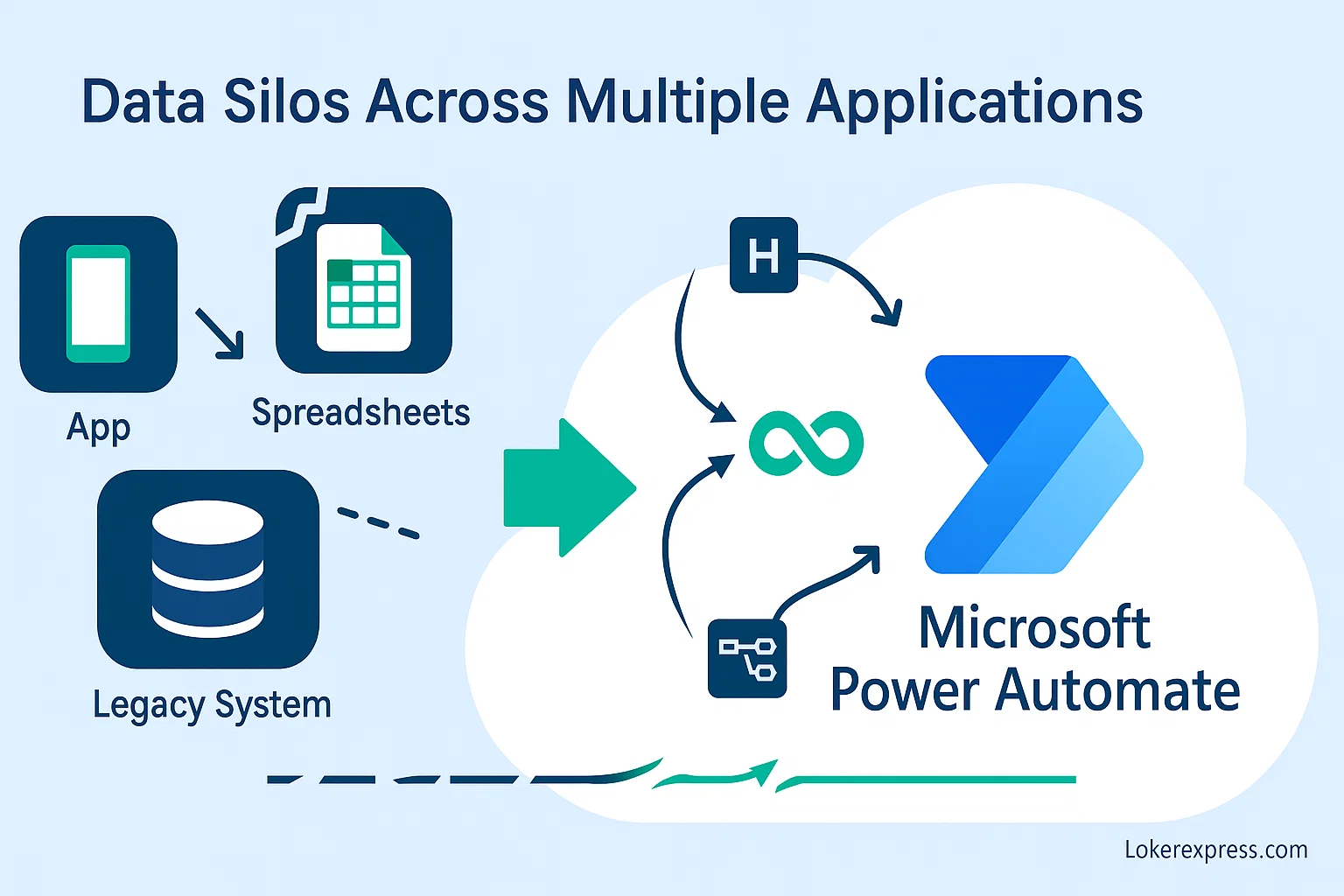
A frequent frustration for businesses is having critical information trapped across multiple legacy systems. When data is stored in disconnected apps, teams spend unnecessary time switching between platforms or duplicating records.
Power Automate breaks down these silos by connecting hundreds of business applications, including SQL Server, CRMs, and ERPs. It integrates effortlessly with Azure Functions, Web API, and Custom Actions to build cross-system workflows.
For businesses working with Dynamics or custom APIs, the plugin registration tool can also be integrated with Power Automate to manage extensions and streamline complex workflows.
By unifying systems such as Business Central and Customer Relationship Management platforms, organizations gain accurate insights and reduce dependence on outdated technology. This minimizes reliance on legacy RPA platforms while avoiding vendor lock-in.
Delayed Approvals and Decision-Making
Bureaucratic approval processes often cause unnecessary delays. A purchase order may sit idle in someone’s inbox, or a procurement team request might be overlooked.
Through Power Automate Examples, organizations can build customized approval workflows that send real-time notifications to managers. Whether it’s a vacancy request form in HR or a supplier contract, approvals can now be completed quickly—even on mobile devices or through Teams.
By streamlining decision-making, Microsoft Power Platform helps businesses stay agile and competitive.
Human Error in Routine Tasks
Errors in routine tasks—such as incorrect financial reporting, forgotten compliance checks, or skipped workflow steps—can cost businesses both money and credibility.
Automation workflows significantly reduce these risks by creating consistent processes. For example, legal teams can use contract expiry reminders to avoid missing deadlines. Finance departments can rely on automated tax calculation software, which ensures accuracy and compliance with compliance standards.
These solutions create reliability across processes while saving businesses from costly mistakes.
Lack of Real-Time Insights
In many companies, managers still depend on static reports that are compiled manually and updated infrequently. This lack of real-time visibility makes it difficult to respond quickly to challenges.
By connecting Power Automate with Microsoft Power BI and Microsoft Power BI, businesses can generate instant dashboards. Automated flows can pull data from Google Analytics, Business Central, and other sources for real-time reporting.
With the support of AI tools, machine learning, and even Cognitive services, leaders can identify trends before they become problems. This proactive approach empowers better strategic decisions.
Poor Customer Service Response Times
Delays in responding to customers often harm brand loyalty. Whether it’s missed support tickets or delayed updates, clients expect timely communication.
Power Virtual Agents and AI chatbots provide 24/7 support, offering quick answers and routing queries to the right person. Automated alerts notify staff if issues remain unresolved. Meanwhile, customer service FAQs can be delivered instantly, guiding users without human intervention.
For specialized industries, integration with Electronic Health Record systems or retail platforms ensures smooth customer support, resulting in faster service and happier clients.
Compliance and Audit Challenges
Compliance remains a pressing issue for organizations in regulated industries. Tracking audit trails, recording approvals, and managing documentation manually can lead to inconsistencies.
By embracing automation strategies, companies can automatically log workflows, secure records in Common Data Service, and enforce processes aligned with compliance standards.
For instance, IT teams can integrate Active Directory and ITSM platform functions into workflows to ensure that every change is tracked and verified. This makes audits smoother and less stressful while lowering operational expense related to compliance.
Scaling Business Operations
As businesses expand, outdated manual systems cannot handle the volume of transactions and requests. Growth requires automation that scales.
By adopting the Microsoft Power Platform, companies can develop custom apps using Canvas Apps, Power Pages, and Power Apps Portals. These solutions adapt as processes grow more complex. Automated processes in Business Central support everything from sales performance tracking to managing the reorder process and global supply chain operations.
With innovations like generative AI, Microsoft Copilot Studio, and AI Builder, businesses unlock advanced capabilities that future-proof their operations.
Real-World Examples
Countless businesses have already reaped the benefits of Power Automate:
- A retail chain automated inventory management and cut costs while preventing stockouts.
- HR teams simplified employee onboarding using flows built with Microsoft Flow.
- Finance departments reduced errors by automating invoice management workflows.
These Power Automate Examples show how even simple automation delivers quick, measurable results.
Best Practices for Implementing Power Automate
To succeed with automation, organizations should take a thoughtful approach:
- Start small with a single process, like email alerts or contract expiry reminders.
- Use the workflow designer to map processes clearly.
- Continuously optimize flows using Microsoft Power BI dashboards.
- Leverage advanced options such as Logic Apps or Azure Functions when workflows grow more complex.
When approached strategically, Power Automate is more than just one of many automation tools. It becomes a long-term driver of Digital Transformation and automation estates.
Read More: Building Retirement Benefits for Employees as a Small Business Owner
Conclusion
Outdated processes, missed deadlines, and fragmented data are no longer barriers to success. With Microsoft Power Automate, organizations eliminate inefficiencies, improve decision-making, and create scalable workflows that adapt to change.
Backed by the full power of the Microsoft Power Platform—including Power Apps, Power BI, and Power Pages—businesses gain agility, innovation, and resilience. By combining AI tools, automation workflows, and future-ready solutions like Microsoft Copilot Studio, organizations can embrace intelligent automation and lead confidently into the digital future.